| Mark or label | Common reading | What to verify |
|---|---|---|
| Door leaf and arc | Door and swing direction | Hinge side, clear opening, conflicts |
| Parallel lines in wall | Window or glazed opening | Type, sill height, operation |
| Tread lines and arrow | Stair run and travel note | Direction convention, section, headroom |
| Fixture outline | Plumbing or kitchen equipment | Schedule, dimensions, connection points |
| Dashed line | Overhead, hidden, or proposed element | Legend and drawing discipline |
| Dimension string | Distance between stated references | Finished vs. framing measurement |
A floor plan is a compact set of instructions, not a picture of a finished home. Lines, arcs, labels, and dimensions each carry information about how rooms connect and how the building is meant to work. Learning common room layout symbols helps you spot circulation problems, understand a renovation proposal, and ask better questions before work begins.

Symbols are not perfectly universal. Conventions vary by country, drawing scale, office, and project type, so always check the drawing legend and confirm ambiguous marks with the designer. Treat this guide as a reading aid—not a substitute for construction documents or professional advice.
Desafios de Design VistStart with the drawing’s orientation and scale
Before interpreting individual marks, find the title block, north arrow, scale, and legend. The title block identifies the project and drawing; the north arrow establishes orientation; the scale tells you how drawn lengths relate to real dimensions. A printed plan may be resized, so a graphic scale bar is often safer than measuring with a ruler.
Check whether the sheet is an architectural floor plan, a reflected ceiling plan, a furniture plan, or a structural/electrical drawing. The same line can mean different things on different sheets. Also note the drawing date and revision: an older plan may not reflect current site conditions.
Room layout symbols for walls, openings, and circulation
Wall lines define room boundaries, but line weight alone does not prove that a wall is load-bearing. Heavier lines often distinguish cut walls from elements beyond, while dashed lines may indicate overhead features, items to be removed, or a change in height. Use the legend and structural drawings to establish the actual meaning.
Door symbols commonly combine a leaf with an arc showing its swing. The arc helps you see which side the door is hinged on and how much floor area it occupies. Sliding, pocket, folding, and double doors may use different marks. Check that the swing does not collide with another door, block a fixture, or narrow a route.
Windows are usually shown as breaks in a wall with thin parallel lines or a frame mark. Their exact symbol varies, and a floor plan may not show sill height, glazing type, or operation. Look for a window schedule or elevation when those details matter.
Stairs are often drawn as a run of parallel tread lines with an arrow or “UP”/“DN” note. The arrow convention can vary, so verify whether it indicates travel direction or the direction toward the next level. A stair plan alone may not show headroom, guardrails, or the full vertical relationship; consult sections and code-reviewed documents.

Room layout symbols for fixtures and furniture marks
Kitchen and bathroom plans use simplified outlines for fixed equipment. A sink, toilet, tub, shower, range, refrigerator, or dishwasher may be recognizable by shape, but labels and schedules are more reliable than guessing. Confirm clearances, door swings, and the location of plumbing connections before assuming an appliance will fit.
Furniture symbols show intended placement or test a layout; they do not always represent items included in a sale or construction contract. A bed, sofa, table, or wardrobe outline can help assess circulation, but compare its dimensions with the actual furniture you plan to use. In my experience, a quick check of the largest pieces catches more layout surprises than studying decorative details first.
Common abbreviations include REF for refrigerator, DW for dishwasher, W/D for washer and dryer, LAV for lavatory, and WC for water closet. These are common conventions, not a guaranteed universal dictionary. If an abbreviation is unfamiliar, find it in the sheet legend or ask the author rather than inferring from context.
Understand dimensions, levels, and annotations
Dimension strings usually show distances between walls, openings, or reference points. Read the extension lines and endpoints carefully: a dimension may refer to framing, finished surfaces, or a centerline. Do not assume every number is an interior clear dimension. For furniture planning, the usable distance between finished surfaces is often what matters.
Room names and area labels provide orientation, but area calculations may follow a project-specific method. Spot elevations, level markers, section references, and detail bubbles connect the plan to other drawings. A callout such as “A/3” typically points to a detail or view elsewhere in the set; use the sheet index to locate it.
Check electrical and mechanical information separately
Electrical symbols may identify outlets, switches, lights, smoke alarms, or data points. Their exact notation varies, and a basic architectural plan may omit them entirely. Switch locations should be read alongside door swings; outlet placement should be checked against cabinetry and appliances. Mechanical plans may show supply registers, returns, thermostats, or equipment, often with a separate legend.
Do not treat a symbol as proof that an installation meets local requirements. Required outlet spacing, ventilation, egress, accessibility, and structural provisions depend on jurisdiction and project conditions. Ask the licensed professional responsible for the relevant drawings when compliance or safety is at stake.
A practical way to review a room layout
Use this sequence when reviewing a plan for a purchase, remodel, or furniture arrangement:
- Confirm the sheet type, revision date, scale, north arrow, and legend.
- Trace the route from the entrance to each room, noting narrow passages and door conflicts.
- Check the dimensions that affect your decisions, especially clear widths and appliance spaces.
- Compare furniture outlines with real item measurements and leave usable circulation space.
- Locate windows, fixed fixtures, outlets, and likely service points that constrain placement.
- Mark every unclear abbreviation or symbol and request clarification before approving work.
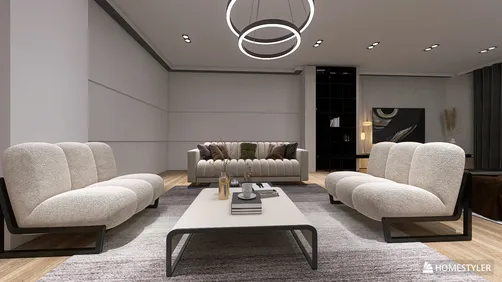
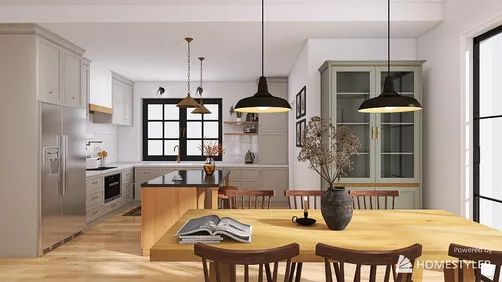
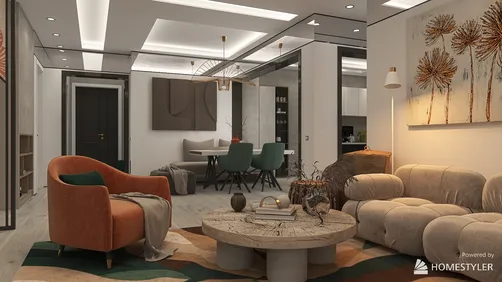
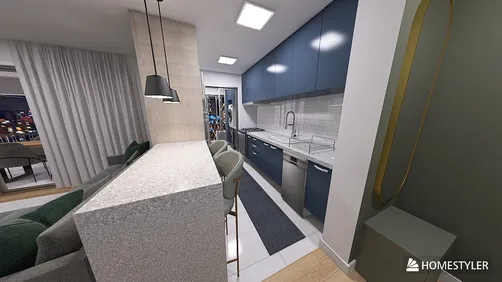
I recommend measuring the existing space on site before ordering furniture or materials. Plans can be schematic, and field conditions may differ. For a proposed arrangement, a simple 3D model can help reveal sightlines and furniture conflicts that are hard to judge from a flat drawing. You can test room proportions and furniture placement in Homestyler, then compare the result with verified dimensions rather than relying on visual scale alone.


Turn a 2D plan into a usable mental picture
Imagine standing at the entrance and moving through the room. Ask what the door reveals, where daylight enters, and whether furniture blocks a route. A plan can show adjacency and approximate size, but elevations and sections explain height, built-ins, ceiling changes, and vertical relationships.
For a more reliable visualization, build a simple model using measured wall lengths, openings, and fixed fixtures. Keep uncertain items visibly marked as assumptions. I usually test the largest furniture pieces first, then refine smaller items once the circulation works. A second view in Homestyler can help compare alternatives, but it cannot validate structural conditions or replace a professional drawing review.
Common interpretation mistakes
- Assuming every symbol is standardized: conventions differ; use the project legend.
- Calling a wall structural from line weight alone: confirm with structural documentation.
- Treating furniture as included equipment: furniture marks may be illustrative only.
- Measuring from a screenshot: image resizing can invalidate the stated scale.
- Ignoring the drawing set: plans, elevations, sections, and schedules work together.
- Approving unclear details: ask the architect, designer, or contractor before construction.
Frequently asked questions
Are room layout symbols the same everywhere?
No. Many marks are widely recognized, but conventions vary by region, discipline, and drawing office. The legend for the specific project is the best reference.
What does a curved arc beside a door mean?
It commonly shows the door leaf’s swing and hinge side. Confirm the symbol in the legend, especially for sliding or specialty doors.
Can I tell whether a wall is load-bearing from a floor plan?
Not reliably from line thickness alone. Review structural drawings and consult a qualified professional before removing or altering a wall.
How can I check whether my furniture will fit?
Use verified room dimensions and the actual width and depth of each item. A scaled drawing or 3D model can help test placement, but confirm clearances on site.
What should I do when I cannot identify a symbol?
Check the legend, related schedules, and other sheets in the drawing set. If it remains unclear, ask the person who prepared the plan rather than guessing.
Read the plan, then verify the space
Understanding room layout symbols makes a floor plan easier to discuss and helps you notice questions early. Start with the legend and drawing context, distinguish fixed construction from illustrative furniture, and verify dimensions that affect real decisions. When a mark has safety, structural, or code implications, get confirmation from the responsible professional.
Built on technology originally developed at Autodesk, Homestyler empowers anyone to design beautiful, realistic spaces in minutes. Join over 20+ million registered users (platform data, 2026) who have already discovered a smarter way to plan, visualize, and bring their dream homes to life — all from the comfort of a browser.
For layout exploration, you can create and compare a measured room concept in Homestyler. Use the model to think through options—not as a replacement for approved plans, site measurements, or expert review.
Projete agora para LIVRE