1.Click "Request Payment" in the chat box.

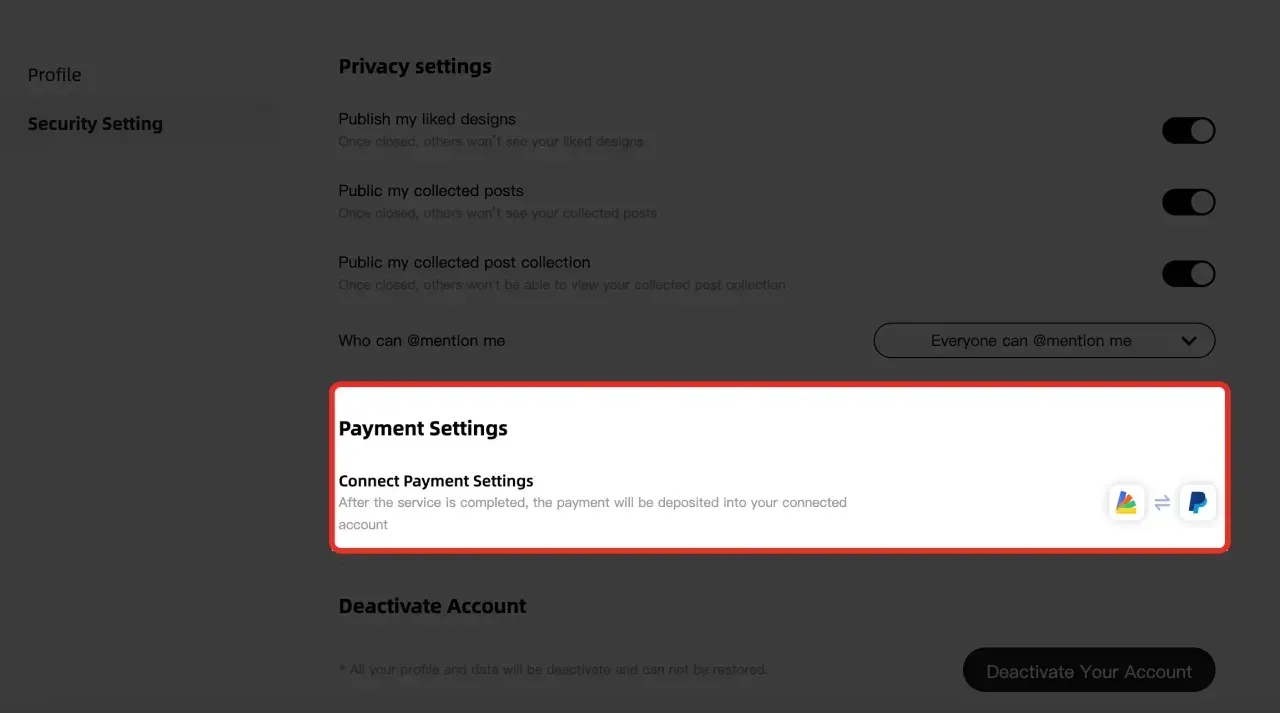
2.If you haven’t linked a payment account yet, you can do it now (choose Stripe for bank card payments).
This step will not block payment requests, but you will need to link your payment account to withdraw funds.

3.Choose Payment Type
1)Single Payment: Enter the total amount and add a description (e.g., "Final design delivery").
2)Stage-Based Payments:
For example, if your project requires 2 payments with user confirmation at each step:
First Request: Initiate the first payment for the initial phase (e.g., "Design draft approval").
After User Confirmation: Once the user confirms the first phase and pays, you can request the second payment for the remaining work (e.g., "Final design delivery").
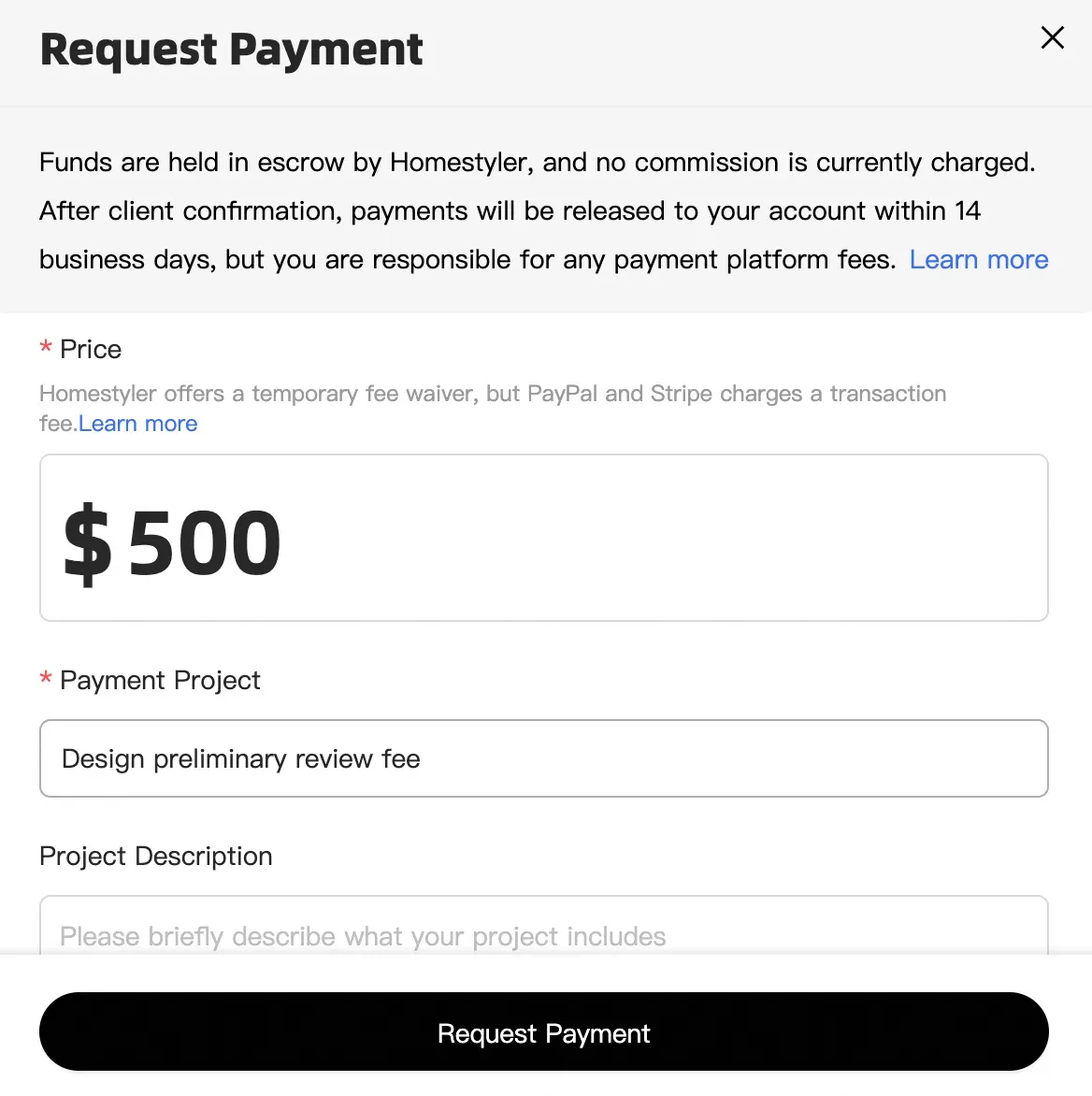
4.After submission, a payment card will appear in the chat window.

5.Users can pay via PayPal or Card directly in the chat.
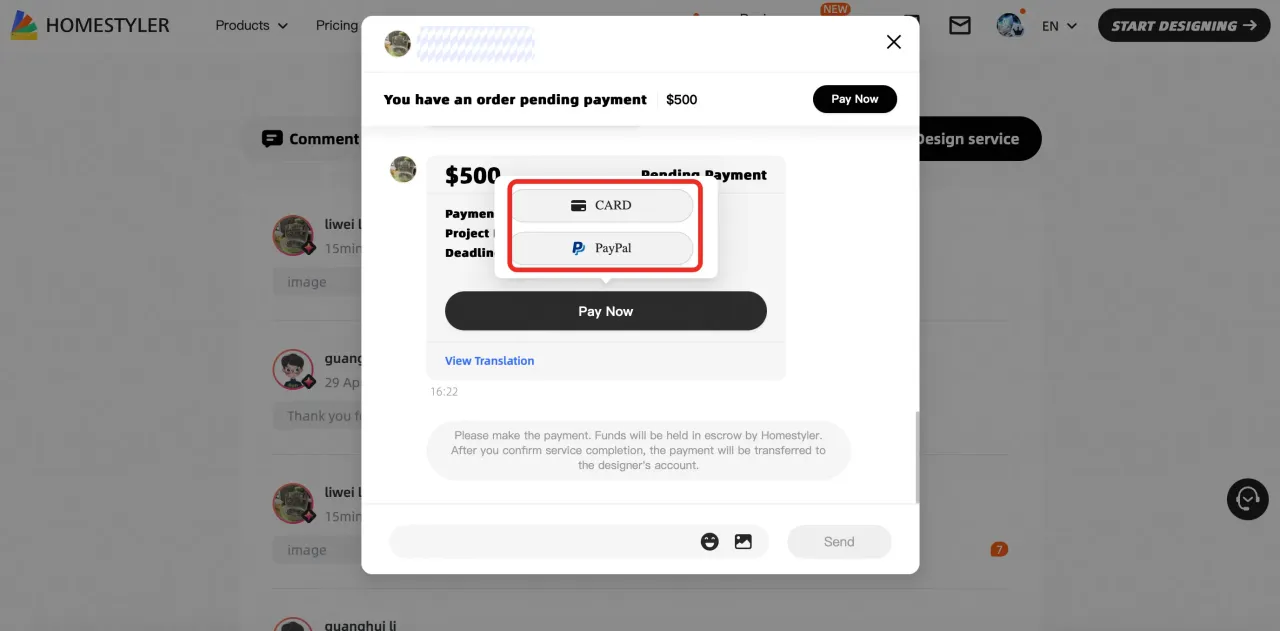
6.After the user completes the payment, Homestyler will transfer the payment to your account within 14 days. If you haven’t linked your account yet, you can either:
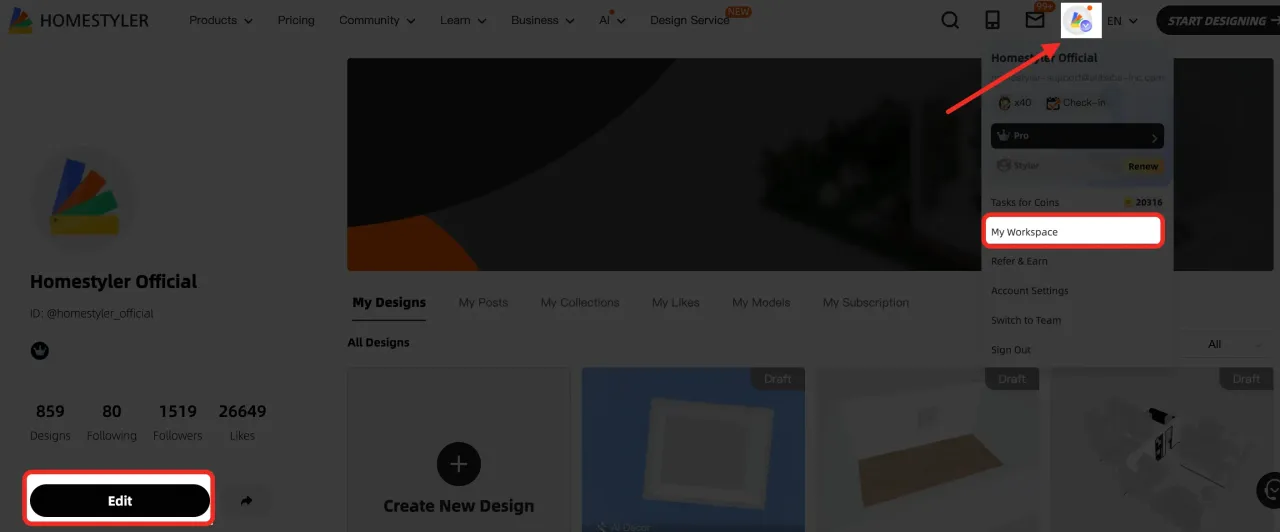
Refer to Step 2 in this document or Go to My Workspace > Edit to connect your account.